Posts

Showing posts with the label CDO Artists tubes

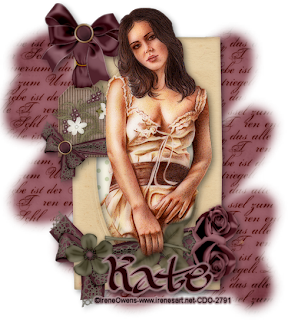
Bedroom Eyes Tutorial

Image
Click on image to see larger version I created this tut in PSPX1 (11) but it can be done with any version of PSP. This is an easy tutorial with not much to do, just take your time. We will be using the Blend Mode a bit in this tutorial You will need: A tube (close up preferable) - I used one of Irene Owens tubes. You need to be a registered member of CDO HERE to purchase her tubes, but any tube will do. Scrapkit 'Black & White' from Mich at Creative Misfits Creations HERE Scroll down till you see the link to Mich's scrapkit Mask #170 from Chelle of WeeScottsLassCreations HERE Scroll down to you see the link to Masks 121-180 Font I used is called 'GradoGradoo' from UrbanFonts HERE Open up the tube you will be using, as well as the mask, minimise the mask New white canvas 700x700 Copy & paste a paper from scrapkit as a new layer - I used paper #6 New Mask Layer-From Image with these settings Merge Group - duplicate - Merge Down. C...

Grecian Beauty Tutorial

Image
Click on image to see larger version At the time I created this tutorial, all tubes, scrapkits, etc were in working links. Sorry if the links no longer work With scrapkits, if the link or site is missing, choose a similar scrapkit I created this tut in PSPX4 (14) but it can be done with any version of PSP. You need to have a good understanding of your PSP program to do this tutorial. You will need: a sitting tube  - I a tube of ©Gennadily Koufay You can get his tubes from CDO HERE But any sitting tube will do Scrapkit is called "Greece" from Eileens Design HERE Template #31 from Eileens Designs HERE Mask #25 from Moonbeams & Spiderwebs HERE Font I used is called "UKIJ Moy Qelem" from Fonts2u.com HERE Plugin Filters: Eyecandy4000-GradientGlow for your name & copyright Open up the mask #25 & minimise it. Also open up the tube you will be using & set it aside. Open up template #31, click SHIFT + D to copy it. Close off the origin...

New Beginning Tutorial

Image
Click on image to see larger version At the time I created this tutorial, all tubes, scrapkits, etc were in working links. Sorry if the links no longer work With scrapkits, if the link or site is missing, choose a similar scrapkit I created this tut in PSPX1 (11) but it can be done with any version of PSP. You need to have a good understanding of your PSP program to do this tutorial You will need: A standing tube - I used one of Gennady Koufay lovely tubes You need to be a registered member of CDO HERE to purchase his tubes, but any standing tube will do. Scrapkit called 'New Beginning' from Puddicat Creations HERE (2nd scrapkit down) Mask #329 from WeeScotsLass Creations HERE Font I used is called "BeachmanScript" from SimplyTheBest Fonts HERE New white canvas 800x700 Open Mask #329 up & minimise it. New raster layer - Select All Copy & paste a paper from scrapkit into selection - Selections-None. New Mask Laye...

Kinda Vintage Tutorial

Image
Click on image to see larger version At the time I created this tutorial, all tubes, scrapkits, etc were in working links. Sorry if the links no longer work With scrapkits, if the link or site is missing, choose a similar scrapkit I created this tut in PSPX1 (11) but it can be done with any version of PSP. You need to have a good understanding of your PSP program to do this tutorial You will need: A tube - I used one of ©Irene Owens lovely tubes. You need to be a registered member of CDO HERE to purchase her tubes, but any sitting tube will do. Scrapkit called 'KindaVintage' from MisfitsScraps HERE Mask #17 from Melissaz Creations HERE Font I used is called 'CalliGravity' from SimplyTheBest Fonts HERE New white canvas 700x700 Open up the mask & minimise it. Select All on white canvas - new raster layer. Copy & paste a paper from scrapkit into selection - I used paper 2 Selections-None. New Mask Layer-From Image wi...

Blasted Grid Tutorial

Image
Click on image to see larger version At the time I created this tutorial, all tubes, scrapkits, etc were in working links. Sorry if the links no longer work With scrapkits, if the link or site is missing, choose a similar scrapkit I created this tut in PSPX4 (14) but it can be done with any version of PSP. You need to have a good understanding of your PSP program to do this tutorial You will need: A sitting tube - I used one of ©Marika's lovely tubes. You need to be a registered member of CDO HERE to purchase her tubes, but any sitting tube will do. My 'Blasted Grid' template HERE Font I used is called ;Miss Claude' from Simply The Best Fonts HERE Plugin Filters: Flaming Pear-SuperBladePro-optional Xero-Porcelain-optional dsb Flux-Blast Penta.com-Dot & Cross Open up my Blasted Grid template - click SHIFT D to copy it. Close off original template. Delete my copyright layer (top) Make the Frame layer active - Select All-Float-De...

No Impossibilities Tutorial

Image
Click on image to see larger version I created this tut in PSPX4 (14) but it can be done with any version of PSP. This is an easy tutorial with not much to do, just take your time. You will need: A Tube - I used one of Caron Vinsons lovely fairy tubes. You need to be a registered member of CDO HERE to purchase her tubes, but any tube will do Scrapkit called 'Broken Destiny' from ScrapsByJessica HERE Mask #38 from Horseplay's Pasture HERE Font I use is called 'Sachiko' from DaFont.com HERE My wordart 'No Impossibilites' HERE Plugin Filters: Xero-Porcelain-optional Eyecandy4000-GradientGlow - for name Open up the mask #38 & minimise it. Also open up the tube you will be using. New white canvas 900x800 We will resize at the end. Select All - new raster layer - copy a paper from scrapkit & Paste Into Selection Selections-None - new mask layer - from image with these settings Merge Group - duplicate - Merge Down - do ...

Bedroom Eyes Tutorial

Image
Click on image to see larger version I created this tut in PSPX1 (11) but it can be done with any version of PSP. This is an easy tutorial with not much to do, just take your time. We will be using the Blend Mode a bit in this tutorial You will need: A tube (close up preferable) - I used one of Irene Owens tubes. You need to be a registered member of CDO HERE to purchase her tubes, but any tube will do. Scrapkit 'Black & White' from Mich at Creative Misfits Creations HERE Scroll down till you see the link to Mich's scrapkit Mask #170 from Chelle of WeeScottsLassCreations HERE Scroll down to you see the link to Masks 121-180 Font I used is called 'GradoGradoo' from UrbanFonts HERE Open up the tube you will be using, as well as the mask, minimise the mask New white canvas 700x700 Copy & paste a paper from scrapkit as a new layer - I used paper #6 New Mask Layer-From Image with these settings Merge Group ...

I Promise You Tutorial

Image
Click on image to see larger version I created this tut in PSPX1 (11) but it can be done with any version of PSP. This is an easy tutorial with not much to do, just take your time. You will need: A tube - I used one of Gennadiy Koufay's lovely tubes. You need to be a registered member of CDO HERE to purchase his tubes, but any tube will do. Scrapkit "I Promise You" from Wicked Princess Scraps HERE Mask #16 from Masks By Simone HERE 2nd set down. Font I used is called "Ajile" from Simply The Best Fonts HERE New white canvas 700x700 Open up the tube you will be using, also open the mask #16 & minimise it. Copy & paste a paper from scrap kit as a new layer on your white canvas. New Mask Layer - From Image with these settings Merge Group - resize 90% Bicubic-all layers unchecked. Open up the Double Rose Frames from scrapkit - Selection Tool-Rectangle, Draw carefully around one of the frames so you get marchin...

Ommadawn Mask Forum Set Tutorial

Image
Click on image to see larger version I created this tut in PSPX1 (11) but it can be done with any version of PSP. This is an easy tutorial with not much to do, just take your time. You will need: A tube - I used one of Karen Middleton's cute tubes. You need to be a registered member of CDO HERE to purchase her tubes, but any tube will do. Plugin Filters: Toadies-Ommadawn - Eyecandy4000-Glass, MuRa's Meisters-Copies Font - Lesserco.ttf HERE New white canvas 650X300 Open up the tube you are going to use. Copy & paste as a new layer on your canvas. Plugin Filters-MuRa's Meister-Copies-Wallpaper with these settings Adjust-Blur-Gaussian Blur 15 Effects-Plugin Filters-Toadies-Ommadawn with these settings Magic Wand with these settings Click on a cross row. Hit delete - Selections-Selections None. Copy & paste your tube as a new layer. You may have to rewsize the tube if it is a small one. Duplicate - Image-Mir...