Wahoooooooooooooooo I have managed to get back in. Mz KellyDesigns.Blogspot had been missing for a while. Thought I had lost it & everything in it. It looks as though I have a fair bit of "house cleaning" to do - updating most of the tutorials as well as lots of links. Please bear with me during this transition
Posts
Country Charm Tutorial
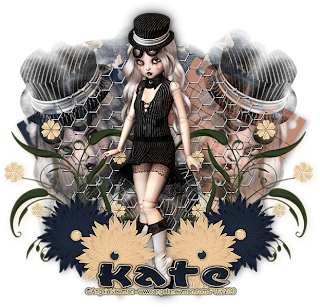
Click on image to see larger version I created this tut in PSPX5 (15) but it can be done with any version of PSP. This is an easy tutorial with not much to do, just take your time. You will need: A standing tube plus a close up tube. I used tubes of Angela Newman You need to be a registered member of The PSP Project to purchase her tubes HERE But any standing tube will do Scrapkit is called "Country Charm" from AWDesigns Scraps HERE Mask #112 I used from Gems Taggin Scraps HERE Font I used is called 'Casual' from Mouser Fonts HERE Plugin Filter: Eyecandy 4000-Grad Glow for the name. New white canvas 700x700 Open up & minimize Mask #112 Copy & paste a paper from scrap kit as a new layer. New Mask Layer- From Image with these settings Merge Group. Resize 90% Bicubic-all layers unchecked. Adjust-Sharpen. Copy & paste Element 38 from scrap kit as a new layer. Image-Free Rotate-Rotate 30 left - move across to the left a little. Cop...
A little bit more of 'House Cleaning'
You may find quite a few tutorials with images missing or Scrap Kit site links not working. I will be re-doing a lot of the tutorials, using new Scrap Kits. Also, Fotki, in their infinite wisdom has taken it on themselves to delete a lot of the images from my tutorial storage folders I will en devour to rectify these issues over the coming weeks. Please bear with me. If you any questions, please don't hesitate emailing me at countrykate4@hotmail.com Kate..aka..Mz KellyDesigns♥
Seaside Resort Tutorial

Click on image to see larger version I created this tut in PSPX4 (14) but it can be done with any version of PSP. This is an easy tutorial with not much to do, just take your time. You will need: A mermaid tube - I used one of Elias Chatzoudis lovely tubes. The tube I used in this tutorial was purchased from PTE when they were open. You need to be a registered member of Elia's own site HERE Scrapkit 'Summer Waves' from AngelsDesignz HERE Mask #81 from WeeScotsLass Creations HERE My 'Seaside Resort Template' HERE Font I used is called 'Seaside Resort' from Urban Fonts HERE Plugin Filter: Eyecandy4000 - Grad' Glow for your name Make the Rectangle layer active - Select All-Float-Defloat. Copy & paste a paper from scrap kit into selection. Select-None. Duplicate the paper layer, make bottom paper layer active - Adjust-Blur-Gausian Blur 12 Add this drop shadow to top paper layer Make Circle Frame layer active - Select...
Shape of Character Tutorial

Click on image to see larger version I created this tut in PSPX4 (14) but it can be done with any version of PSP. This is an easy tutorial with not much to do, just take your time. You will need: A sitting tube plus a close of tube if there is one - I used one of Zlata M tubes. You need to be a registered member ofThePSProject HERE to purchase his/her tubes, but any tube will do. Scrapkit 'Summer Waves' from AngelsDesignz HERE Mask #137 from WeeScotsLass Creations HERE Template #126 from ScrapsOfEnchantment HERE WordArt 'Shape Our Character' from ElegantWordArt2 HERE Font I used is called 'Lagniappe-Inline' from DaFont HERE Plugin Filter: Eyecandy4000 - Grad' Glow Open up the tube you will be using, as well as the mask, minimise the mask & template. Also the WordArt. Click Shift D to copy the template - you can now cancel the original template. Delete the INFO layer on the template. Got to Image-REsize & resize 85% - r...
Sagittarius Tutorial

Click on image to see larger version I created this tut in PSPX4 (14) but it can be done with any version of PSP. This is an easy tutorial with not much to do, just take your time. We will be using the Blend Mode a bit in this tutorial You will need: A tube - I used one of Elias Chatzoudis tubes. You need to be a registered member of Elias ArtShop.com HERE to purchase his tubes, but any tube will do. Scrapkit 'Gothic Love' from Purples Tutorials HERE Mask #4 from Enchanted By Darkness HERE You will find her mask links on the right hand side. Font I used is called 'Janda Truly Madly Deeply' FROM DaFonts.COM HERE Plugin Filter: Eyecandy 4000-GradientGlow for name Open up the tube you will be using, as well as the mask, minimise the mask New white canvas 650x650 Copy & paste a paper from scrapkit as a new layer - I used paper #13 New Mask Layer-From Image with these settings Merge Group - resize Mask 80%SmartSize-all layers unchecked. ...
Taurus Tutorial

Click on image to see larger version I created this tut in PSPX4 (14) but it can be done with any version of PSP. This is an easy tutorial with not much to do, just take your time. We will be using the Blend Mode a bit in this tutorial You will need: A tube (close up preferable) - I used one of Elias Chatzoudis tubes. You need to be a registered member of Elias ArtShop.com HERE to purchase his tubes, but any tube tube will do. Scrapkit 'Platinum Club' from Scraps by Jessica HERE Mask #6 from Melissaz Creations HERE Font I used is called 'Otfpoc' from SimplyTheBest-Fonts HERE Open up the tube you will be using, as well as the mask, minimise the mask New white canvas 650x650 Copy & paste a paper from scrapkit as a new layer - I used paper #3 New Mask Layer-From Image with these settings Merge Group - resize Mask 90%SmartSize-all layers unchecked. Make the Background layer active - go to-Image-Canvas Size with these setti...
Pisces Tutorial

Click on image to see larger version I created this tut in PSPX4 (14) but it can be done with any version of PSP. This is an easy tutorial with not much to do, just take your time. We will be using the Blend Mode a bit in this tutorial You will need: A tube (close up preferable) - I used one of Elias Chatzoudis tubes. You need to be a registered member of Elias ArtShop.com HERE to purchase his tubes, but any mermaid tube will do. Scrapkit 'Vicky Scrap Kit' from Scraps by Jessica HERE Mask #18 from Bev, Horseplay'sPastures HERE Font I used is called 'Wet Paint' from SimplyTheBest-fonts HERE Open up the tube you will be using, as well as the mask, minimize the mask New white canvas 650x650 Copy & paste a paper from scrap kit as a new layer - I used paper #11 New Mask Layer-From Image with these settings Merge Group Copy & paste V_Frame1 from scrap kit as a new layer - resize 70% SmartSize-all layers unchecked. Add t...
Bedroom Eyes Tutorial

Click on image to see larger version I created this tut in PSPX1 (11) but it can be done with any version of PSP. This is an easy tutorial with not much to do, just take your time. We will be using the Blend Mode a bit in this tutorial You will need: A tube (close up preferable) - I used one of Irene Owens tubes. You need to be a registered member of CDO HERE to purchase her tubes, but any tube will do. Scrapkit 'Black & White' from Mich at Creative Misfits Creations HERE Scroll down till you see the link to Mich's scrapkit Mask #170 from Chelle of WeeScottsLassCreations HERE Scroll down to you see the link to Masks 121-180 Font I used is called 'GradoGradoo' from UrbanFonts HERE Open up the tube you will be using, as well as the mask, minimise the mask New white canvas 700x700 Copy & paste a paper from scrapkit as a new layer - I used paper #6 New Mask Layer-From Image with these settings Merge Group - duplicate - Merge Down. C...
Lil Black Skirt Tutorial

Click on image to see larger version At the time I created this tutorial, all tubes, scrapkits, etc were in working links. Sorry if the links no longer work With scrapkits, if the link or site is missing, choose a similar scrapkit I created this tut in PSPX4 (14) but it can be done with any version of PSP. You need to have a good understanding of your PSP program to do this tutorial. You will need: A tube - I used a tube of ©gI0 You can get his tubes from The PSP Project HERE But any tube will do Scrapkit is called "Mystic/Gothic" from Fantasy Moments Scraps & More HERE Mask #116 from Gems Taggin Scraps HERE Font I used is called "Buffied" from Fonts 2U HERE Plugin Filters: Eyecandy4000-GradientGlow for your name & copyright Open up the mask #116 & minimise it. Also open up the tube you will be using & set it aside. New transparent canvas 700x700 Copy & paste a paper from scrapkit as a new layer. I...
Softer Side of Goth Tutorial

Click on image to see larger version At the time I created this tutorial, all tubes, scrapkits, etc were in working links. Sorry if the links no longer work With scrapkits, if the link or site is missing, choose a similar scrapkit I created this tut in PSPX4 (14) but it can be done with any version of PSP. You need to have a good understanding of your PSP program to do this tutorial. You will need: A tube - I used a tube of ©Keith Selle You can get his tubes from The PSP Project HERE But any tube will do Scrapkit is called "Softer Side of Goth" from Dreamland Designs HERE Mask #7 from Miggins Does Scrapsville HERE Font I used is called "Dylovastuff" from Fonts 2U HERE Animation 'breakingsparks_bymissy' - from Divine Intentionz HERE Plugin Filters: Eyecandy4000-GradientGlow for your name & copyright Open up the mask #7 & minimise it. Also open up the tube you will be using & set it aside. New transpar...
Undecided Tutorial

Click on image to see larger version At the time I created this tutorial, all tubes, scrapkits, etc were in working links. Sorry if the links no longer work With scrapkits, if the link or site is missing, choose a similar scrapkit I created this tut in PSPX4 (14) but it can be done with any version of PSP. You need to have a good understanding of your PSP program to do this tutorial. You will need: A sitting tube - I used a tube of ©Zlate M You can get his tubes from The PSP Project HERE But any sitting tube will do Scrapkit is called "Pssst.Love You" from ElegantInspirations HERE Template #TT3 from A Creative Space Between Scroll down to bottom of page for the template link HERE Mask #39 from Moonbeams & Spiderwebs HERE Font I used is called "Precious" from 1001fonts.com HERE Plugin Filters: Eyecandy4000-GradientGlow for your name & copyright Open up the mask #39 & minimise it. Also open up the tube you will be using & set...
Grecian Beauty Tutorial

Click on image to see larger version At the time I created this tutorial, all tubes, scrapkits, etc were in working links. Sorry if the links no longer work With scrapkits, if the link or site is missing, choose a similar scrapkit I created this tut in PSPX4 (14) but it can be done with any version of PSP. You need to have a good understanding of your PSP program to do this tutorial. You will need: a sitting tube - I a tube of ©Gennadily Koufay You can get his tubes from CDO HERE But any sitting tube will do Scrapkit is called "Greece" from Eileens Design HERE Template #31 from Eileens Designs HERE Mask #25 from Moonbeams & Spiderwebs HERE Font I used is called "UKIJ Moy Qelem" from Fonts2u.com HERE Plugin Filters: Eyecandy4000-GradientGlow for your name & copyright Open up the mask #25 & minimise it. Also open up the tube you will be using & set it aside. Open up template #31, click SHIFT + D to copy it. Close off the origin...